As an Amazon Associate, 456 AutoFix earns from qualifying purchases. Product links below go to Amazon, where you can confirm the right part for your vehicle.
An amber engine symbol on an XC60 dashboard sends most owners hunting for the best code reader for Volvo XC60 use, and the answer depends on what you plan to do next. Reading a check engine code takes very little hardware. Retracting the electric parking brake for rear pads, logging a new battery or clearing the service message takes a tool that speaks Volvo.
New to diagnostics in general? Our pillar guide to choosing an OBD2 scanner for home mechanics covers the basics. For the wider Volvo range, our page on the scan tools we picked for Volvo owners reviews the bigger iCarsoft, FOXWELL and ANCEL units. This page narrows things to the XC60 and to five different tools: two whose listings name Volvo and three well-known generic readers that work through the standard OBD2 port.
Quick answer
Which code reader should an XC60 owner buy?
If you only want to read the check engine light, a plug-in engine reader is enough. If you also do brakes, batteries or oil changes yourself, get the iCarsoft VOL V2.0, which lists EPB, battery registration and oil reset for Volvo. Send your VIN to the seller before ordering, since functions vary by year.
Our Quick Picks
Three tools that cover the main XC60 jobs, from full Volvo menus to a quick engine check:

iCarsoft VOL V2.0
A Volvo-only handheld for codes, brake pads, batteries and service resets.

Performance Tool W3000
A single-purpose parking brake tool for rear pad and disc work.

Autel AutoLink AL519
A proven generic reader for any XC60 check engine light.
Code Reader or Scan Tool: What an XC60 Actually Needs
The words get used loosely, so it helps to split them. A code reader talks to the engine computer over the standard OBD2 protocol. It shows the emissions-related fault, the freeze frame from the moment it set and whether the readiness monitors have finished. That covers a loose gas cap, a misfire or an oxygen sensor fault.
Every XC60 sold in the US uses the standard OBD2 port, so any decent generic reader will connect. On a Volvo it sees the engine and emissions side only. Airbag, ABS, transmission and parking brake faults live in Volvo modules that a generic reader never opens.
A scan tool with Volvo software goes further. It reaches the airbag, ABS, transmission, climate and parking brake modules, and it can run service routines. For an XC60 owner, three of those routines come up again and again:
- EPB service mode: the electric parking brake motors on the rear calipers have to be backed off before the pistons can be pushed in for new pads, then reapplied afterwards.
- Battery registration: iCarsoft describes its Volvo BMS function as registering a battery replacement, so the charging system knows a fresh battery is in place.
- Service reminder reset: the message in the driver display stays until a tool or the dash menu clears it, depending on the year.
Volvo module codes are laid out much like other European makes, with a module prefix and a hex code. Our breakdown of how to read common Audi fault codes uses the same logic and is a handy primer before you start clearing anything.
First-Generation and Second-Generation XC60 Differences
Volvo built the first XC60 from late 2008 to spring 2017, with a facelift for the 2014 model year. The second generation arrived for the 2018 model year on Volvo’s Scalable Product Architecture, the same base as the XC90 and S90. The jump matters for tools, because newer cars use newer network protocols and some older scanners never get past the gateway.
iCarsoft says the VOL V2.0 supports the CAN-FD protocol Volvo has adopted, which is the feature to look for on a 2018 or newer XC60. On a first-generation car the protocol question is simpler, but feature lists still change by year. The Performance Tool W3000, for example, lists the XC60 from 2010 onward and nothing about the newer platform, so treat that tool as a first-generation choice unless the seller confirms otherwise.
Whatever you buy, keep the VIN handy. Most of these sellers ask for it before purchase, and that small step avoids the most common return: a tool that powers up fine but shows no Volvo menu for your year.
Best Code Reader for Volvo XC60: The Five Tools Reviewed
The list runs from a Volvo-only handheld and a parking brake tool down to three generic engine readers. Volvo menus depend on model year, engine and options, so check coverage with the seller first.
1. iCarsoft VOL V2.0: Volvo/Saab All-System Scanner with 9 Service Resets
- All-system scan for Volvo and Saab
- EPB, BMS, oil and SAS resets
- CAN-FD protocol support
- Free updates by card reader and PC
The VOL V2.0 is a handheld built only for Volvo and Saab software, which keeps its menus short and specific. iCarsoft lists coverage for Volvo and Saab models from 1996 to the present, and the Amazon listing says it supports the CAN-FD protocol that Volvo has moved to on newer cars. That makes it a sensible match for both XC60 generations, provided the seller confirms your VIN.
Beyond engine codes, it reads the transmission, ABS, airbag, tire pressure and stability modules. The iCarsoft VOL V2.0 product page lists nine service functions, among them EPB and brake pad reset, steering angle reset, battery management with replacement registration, oil reset, throttle, DPF, injector coding, ABS bleeding and TPMS. A 4-inch screen shows up to 118 live data items, and there is a built-in battery test.
Updates load through the included card reader and a Windows PC rather than Wi-Fi, which takes a few extra minutes. iCarsoft notes the V2.0 has no bidirectional control, so a few airbag and ABS codes that need an active test before clearing are out of reach. Owners who want those tests should look at the larger models in our Volvo scan tool guide.
View iCarsoft VOL V2.0 on Amazon
2. Performance Tool W3000: Electronic Parking Brake Tool with Code Reading
- Lists XC60 from 2010 onward
- Rear brake reset after pads or discs
- Reads codes, data and ECU info
- English and Spanish display
The W3000 is a dedicated parking brake tool rather than a general scanner. Its Amazon listing names the Volvo XC60 from 2010 onward, along with the S80, V70, XC70 and S60 from the years shown, plus some Audi, VW and Mercedes models. For a first-generation XC60 owner who mostly wants to change rear pads at home, that focus is the appeal.
The listing describes reading fault codes, data streams, ECU information and parking brake system data, opening and closing the calipers for pad service and resetting the rear brake position afterwards. The maker’s W3000 page from Wilmar also covers brake fluid changes and bleeding on Volvo, though one of its feature lines ties electronic parking brake activation to the Audi A6 and A8 only. Because the two descriptions differ, ask the seller to confirm caliper control on your exact XC60 before buying.
It does not cover the airbag, transmission or climate modules, battery registration or the service reminder. Nothing on the listing mentions the second-generation XC60 from 2018, so owners of a newer car should treat it as unconfirmed. Paired with a basic engine reader, it covers the two jobs most first-generation owners tackle.
View Performance Tool W3000 on Amazon
3. Autel AutoLink AL519: OBD2 Code Reader with Enhanced Mode 6 and Live Data Graphs
- Full 10 OBD2 test modes
- Generic, manufacturer and pending codes
- Live data in text and graph
- One-click I/M readiness button
Autel’s AL519 is a long-running generic code reader, and it is a fair fit for an XC60 because every one sold in the US has a standard OBD2 port. The listing describes support for all OBD2 protocols, including CAN, on post-1996 cars sold in the US. Plug it in under the dash and it powers from the car, with no app or registration.
It runs all ten OBD2 test modes. That means reading and clearing codes, freeze frame, live data in text and graph form, I/M readiness, oxygen sensor and on-board monitor tests, an EVAP leak test and vehicle information. Autel says it pulls generic, manufacturer-specific and pending codes, and the DTC lookup shows what each code means on screen. A dedicated I/M button jumps straight to readiness status.
On a Volvo, the limits are clear. It reads the engine and emissions side only, so airbag, ABS, transmission and electric parking brake faults stay hidden, and there are no Volvo service resets for the battery or service reminder. For a check engine light, a misfire code or a readiness check after a repair, though, it is a dependable tool to keep in the garage.
View Autel AutoLink AL519 on Amazon
4. ANCEL AD410: Enhanced OBD2 Code Reader with 2.4-Inch Color Display

- Reads and clears engine codes
- 42,000+ built-in DTC lookups
- Live data, freeze frame, EVAP test
- Powered by the OBD2 port, no app
The AD410 is ANCEL’s compact engine code reader, aimed at drivers who want to know why the check engine light is on before booking a repair. ANCEL lists compatibility with most 1996 and newer US-market OBD2 vehicles and many 2000 and newer European and Asian ones, across the CAN, ISO9141, KWP2000 and J1850 protocols. It powers from the port and needs no battery, Bluetooth or phone app.
Its functions cover the core OBD2 set: reading and clearing codes, code definitions from a library of more than 42,000 entries, live data, freeze frame, I/M readiness, oxygen sensor and EVAP tests, vehicle information and MIL status. A 2.4-inch color screen and simple menus make it easy for a first-time user, and free software updates keep the code database current.
ANCEL is upfront that the AD410 reads engine and emission codes only. It does not support ABS, airbag or transmission modules, bidirectional control or any service reset, so it cannot help with XC60 rear pads, battery registration or the service reminder. As a small tool for the glovebox or for checking a used Volvo before you buy, it does the job it claims.
5. TOPDON AL500B: 2-in-1 OBD2 Code Reader and 12V Battery Tester

- Full OBD2 code reading and clearing
- 12V battery health test with CCA
- Cranking and charging tests
- Waveform live data and I/M button
The AL500B pairs a generic OBD2 code reader with a 12V battery tester, which suits a Grand Rapids winter when weak batteries cause a lot of strange Volvo warnings. TOPDON lists full OBD2 support on most models from 1996 onward and coverage for more than 50 brands, and it asks buyers to contact the company to confirm compatibility.
On the diagnostic side, it reads and clears codes, shows freeze frame data, looks up ECU versions and displays live data as a waveform graph. A one-touch I/M button gives a quick readiness check. The battery side reports health, voltage, internal resistance, charge and rated CCA on 12V batteries, and it runs cranking and charging tests on 12V and 24V systems to show whether the alternator is keeping up.
Like the other generic readers here, it stays on the engine side of an XC60, with no airbag, ABS, parking brake or Volvo service functions, and it does not register a new battery. Updates and printed reports go through a USB link to a computer. It is a good match for an owner who wants to rule out the battery before chasing a dashboard full of faults.
Which Tool Covers Which XC60 Job
Work backwards from the job. The table sums up what each listing or maker page says, not what every XC60 will show on screen.
| XC60 job | Tools that list it | Watch out for |
|---|---|---|
| Check engine light code | All five | Fix the cause before you clear it |
| Rear pads with EPB | VOL V2.0, W3000 (XC60 from 2010) | Confirm the calipers have reapplied before driving |
| New battery registration | VOL V2.0 (BMS) | Fit the same type and size as the original |
| Service reminder reset | VOL V2.0 | Some years also allow a dash menu reset |
| Airbag and ABS codes | VOL V2.0 | Some codes need tests the V2.0 cannot run |
| Battery health check | AL500B (battery, cranking and charging tests), VOL V2.0 (battery test) | Test with the engine off and again while cranking |
The three generic readers stop at engine codes, live data and readiness checks. They are useful for a quick look, a used-car check or keeping in the glovebox, but they cannot open the brake calipers or talk to the battery monitor.
XC60 Ownership Through a Grand Rapids Winter
Sub-zero mornings in West Michigan pull a 12V battery down fast, and a weak battery in a modern Volvo can scatter low-voltage faults across modules that have nothing wrong with them. Before chasing a list of codes after a cold snap, charge the battery fully, clear the codes once and scan again. If the battery keeps going flat, our guide to a car battery that dies overnight walks through finding a parasitic drain.
Salt and slush also wear rear pads and seize caliper hardware, so EPB service mode gets used more here than in dry states. Keeping the cabin dry helps the electrics too. XC60 owners shopping for winter gear can borrow ideas from our page on all-weather floor mats for the Volvo XC40, then look for the XC60 version of the same mat line.

A charger with an AGM setting is worth having if the XC60 sits for days at a time. Our roundup of the AGM battery chargers we recommend explains which modes matter for a Volvo battery.
When the Code Points to a Shop Visit
A fault code names the module that noticed a problem, not the failed part. When the light is on and the XC60 still drives normally, our article on a check engine light with a car that runs fine lists the sensible first checks. A flashing light or a red warning is different, so park the car and get it looked at.
Leave airbag and ABS faults alone until the cause is repaired, and never drive off after a brake job until the parking brake has clamped again. For anything that points at wiring, a sensor or a module, our check engine light diagnostic service in Grand Rapids tests it properly.
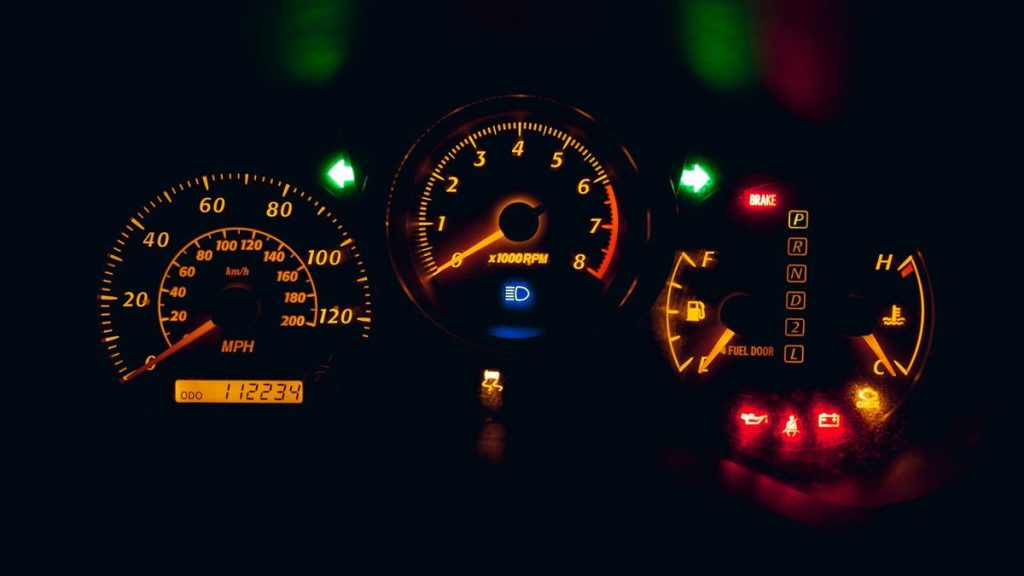
We work on Volvos and other imports through our foreign car repair service, and rear pad jobs on EPB cars go through our brake repair shop in Grand Rapids.
More Buying Guides
Frequently Asked Questions
Will a basic OBD2 code reader work on a Volvo XC60?
Yes for engine and emissions codes, since every XC60 has a standard OBD2 port. A basic reader will not reach the airbag, ABS or parking brake modules, and it cannot run Volvo service routines.
Can I replace XC60 rear brake pads without a scan tool?
It is not a good idea. The electric parking brake has to be put into service mode so the caliper motors back off first. Forcing the pistons back by hand can damage the actuator.
Do I need to register a new battery on my XC60?
Many newer Volvos track battery condition, and tools such as the iCarsoft VOL V2.0 include a BMS function that registers a replacement. Ask the tool seller whether your model year supports it before buying.
What is the best code reader for Volvo XC60 owners who only want engine codes?
A plain OBD2 reader from an established maker, such as the Autel AutoLink AL519 or the ANCEL AD410. Both read and clear check engine codes and show live data on any XC60, with no app needed.
Have an XC60 warning your code reader can’t explain? Call 456 AutoFix in Grand Rapids at 616-279-3832, Monday to Friday 8am to 5pm, or request a diagnostic appointment on our contact page.
Working during shop hours? Our after-hours drop-off is available, and you’ll find us at 456 Carrier St NE in Creston.