
As an Amazon Associate, 456 AutoFix earns from qualifying purchases. Product links below go to Amazon, where you can confirm the right part for your vehicle.
A Mazda3 or CX-5 that throws a warning light on a January morning rarely tells you much on the dash itself. The best scan tool for Mazda owners goes past the engine code: it reaches the ABS, airbag and transmission modules, shows live data, and puts the electric parking brake into service mode when the rear pads wear out.
Below we cover what a Mazda asks of a scanner, then review six all-makes tools with the functions owners reach for most. For general advice that applies to any car, our OBD2 scanner guide for DIY mechanics is a good starting point.
Quick answer
Which scan tool suits a Mazda owner?
For a handheld that covers every module and 28 resets, look at the THINKCAR Thinkscan Max2. The GEARWRENCH GWSMARTBT turns a phone into a two-way scanner with active tests. If you mainly want engine codes, ABS codes and a battery check, the Innova 5210 keeps things simple.
Our Quick Picks
Three scanners that cover the main ways Mazda owners diagnose at home:

THINKCAR Thinkscan Max2
A self-contained handheld for codes and brake or battery resets.

GEARWRENCH GWSMARTBT
A compact adapter that turns your phone into a two-way scanner.

Innova 5210
A straightforward reader that also checks battery and alternator health.
What a Mazda Asks of a Diagnostic Tool
Every Mazda sold in the US from the 1996 model year on has a standard OBD2 port under the dash. Any code reader can pull generic engine codes and emissions readiness from it, and for a steady check engine light that is often enough to get started.
The trouble is that many warnings never reach the engine computer. An ABS or traction light, an airbag light or a transmission fault lives in its own module, and a plain reader cannot open it. Newer models with an electric parking brake add another job: the rear calipers have to be put into a maintenance mode before the pads come out, and taken out of it afterward.
Mazda’s own route is aimed at shops. Mazda Service Info sells US and Canadian independent repair facilities subscription access to service information, diagnostics and module programming, with its IDS and MDARS software and a matching interface. That suits a repair shop, so most owners buy an aftermarket scanner instead.
Checks to Run Before You Order
Mazda-only scanner editions are scarce on Amazon US, so the best scan tool for Mazda owners is usually an all-makes model. Put each listing through these questions first.
- Which modules does it name? Look for ABS, SRS and transmission by name, not just “full OBD2 functions”.
- Is the electric parking brake covered? EPB or brake service should appear in the reset list if you plan to do rear pads.
- Can it test parts, not just read codes? Bidirectional control lets you switch a fan, pump or actuator on from the tool.
- Will the maker confirm your car? Send your VIN or use the coverage checker, since functions vary by year, model and trim.
- Phone app or handheld? An adapter fits in the glovebox, while a handheld never depends on your phone’s battery or operating system.
Best Scan Tool for Mazda: Six Scanners Reviewed
Three are phone or handheld tools with two-way control, one is a handheld with a long reset list, and two are simpler readers for owners who mainly want codes. Features come from each Amazon listing, and none of the listings names Mazda, so confirm your model with the maker.
1. THINKCAR Thinkscan Max2: Full-System Handheld Scanner with 28 Resets and CAN FD
- One-click scan of all modules with AutoVIN
- 28 resets incl. EPB, SAS, ABS bleed
- Bluetooth dongle, up to 33 feet
- CAN FD support, 93+ brands listed
The THINKCAR Thinkscan Max2 is a 5.99-inch Android handheld that talks to the car through a small Bluetooth dongle, so you can sit in the driver’s seat or stand at the wheel while it works. Its listing describes a one-click scan of every module the software can reach, with AutoVIN to identify the vehicle, and it names American, Asian and European makes among its 93+ supported brands.
The reset list is the main reason to choose it. The listing names 28 service functions, including oil reset, steering angle calibration, battery matching, ABS bleeding, electric parking brake service, gear learning, injector coding and TPMS reset, with lifetime updates for those functions at no charge. Those cover the work that typically follows rear brake pads, a new battery or an alignment on a newer Mazda. It also runs all ten standard OBD2 modes, graphs four data streams at once and supports CAN FD.
The listing does not claim bidirectional active tests, so you cannot switch a fan or pump on from the tool. Coverage varies by model and year, and the seller asks for your VIN before purchase if a specific function matters. For simple engine checks, it is more tool than you need.
View THINKCAR Thinkscan Max2 on Amazon
2. GEARWRENCH GWSMARTBT: Bluetooth Bi-Directional Scan Tool with 23 Reset Functions
- OE-level diagnostics on a smart device
- Full bi-directional control and active tests
- 23 reset and relearn functions
- Free software updates, no subscription
The GEARWRENCH GWSMARTBT is a Bluetooth adapter that plugs into the OBD2 port and pairs with an app on your phone or tablet. GEARWRENCH is a long-running hand tool brand, and this listing describes OE-level diagnostics on a smart device, with coverage of more than 185 car manufacturers. Because the adapter is small, it can live in the glovebox and come out whenever a light appears.
Its strongest feature is full bi-directional control. Instead of only reading codes, you can send live actuation tests from the app to check whether a component responds, which helps separate a failed part from a wiring or signal problem. The listing names 23 reset and relearn functions, with throttle matching, ABS bleeding and TPMS reset given as examples. Live data mapping and freeze frame capture show what the sensors were reporting when a fault was stored.
Software updates are free with no subscription, according to the listing. The catch with any phone-based tool is that it depends on your device, so check that your phone meets the app’s requirements. The listing does not name Mazda specifically, so confirm the functions you need for your model and year before buying.
View GEARWRENCH GWSMARTBT on Amazon
3. INNOVA 5160RS: Bidirectional All-System Handheld with EPB and SAS Resets

- All-system network scan of ECU modules
- Bidirectional tests incl. EPB retract
- SAS, DPF and battery resets
- RepairSolutions2 fixes, parts and TSBs
The INNOVA 5160RS is a handheld scan tool with a color screen and dedicated hotkeys rather than a touch interface. Its listing describes an all-system network scan that reads and clears codes from every ECU module it can reach, going past the powertrain, ABS and SRS modules that simpler readers stop at. The patented all-in-one display puts more than 20 pieces of information, including code definitions, on one screen.
Bidirectional control lets you send commands to the vehicle, and the listing gives fuel pump on and off, A/C clutch on and off, and retracting the electronic parking brake as examples. That last one is directly useful on a Mazda with an electric parking brake when rear pads are due. Listed special functions include steering angle reset, battery reset, oil light reset, DPF regeneration and brake caliper service.
The tool links to Innova’s RepairSolutions2 app for verified fixes, parts information, maintenance schedules and technical service bulletins. Innova offers a coverage checker on its site, and that is worth using with your VIN, because functions differ across makes and model years. If you want a large touch screen, look at a tablet-style tool instead.
4. KINGBOLEN Ediag Elite: Bluetooth Full-System Scanner with Active Tests and 15+ Resets

- Full-system diagnosis for 150+ brands
- Active tests on fans, throttle, windows
- 15+ resets incl. oil, SAS, BMS, TPMS
- Lifetime updates, iOS and Android
The KINGBOLEN Ediag Elite is a Bluetooth 5.2 adapter that works with an app on iOS or Android phones. Its listing describes full-system diagnosis for most cars built after 1996 across more than 150 brands, covering the engine, body control, ABS, SRS, TPMS, transmission, battery management, steering angle and A/C modules. That broad coverage makes it a practical choice when one household runs a Mazda alongside cars from other makers.
Beyond reading and clearing codes, the listing names active tests that command parts such as the radiator fan, throttle and windows, which helps confirm whether a component works before you replace it. It lists more than 15 reset functions, including oil reset, ABS bleeding, injector coding, steering angle reset, TPMS reset, battery reset and brake reset. Live data can be shown as graphs, gauges or a four-in-one chart and recorded for playback.
Updates come with no ongoing cost, and the listing says there are no IP restrictions. As with any app-based tool, the experience depends on your phone, and wireless range is quoted at up to 33 feet. The listing gives no Mazda-specific detail, so check your model and year with the seller before relying on a particular reset.
View KINGBOLEN Ediag Elite on Amazon
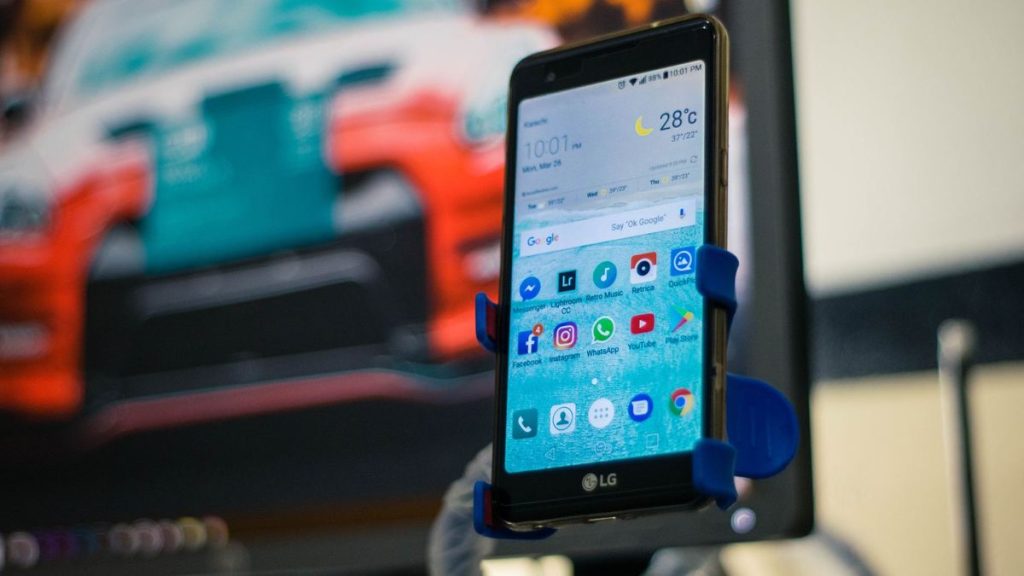
5. Innova 5210: OBD2 Code Reader with ABS Codes, Battery Tester and Oil Reset
- Engine and ABS codes (coverage varies)
- Battery and alternator testing
- Live data and drive cycle readiness
- Oil light reset, RepairSolutions2 app
The Innova 5210 is a handheld code reader for owners who want clear answers without a long menu of special functions. Its listing says it reads and clears check engine and ABS codes on most US, Asian and European vehicles from 1996 on, with ABS coverage that varies by vehicle. Innova’s coverage checker is the place to confirm what it does on your Mazda.
What sets it apart from many readers at this level is the built-in battery tester, which also checks alternator health. In a West Michigan winter that is a useful habit, because a tired battery can cause hard starts and stray codes before it fails outright. Live data covers readings such as RPM, engine temperature, fuel trims and oxygen sensors, and the drive cycle readiness screen shows whether the car is ready for an emissions check.
The tool also resets the oil service light, and it pairs with Innova’s RepairSolutions2 app on iPhone and Android for verified fixes and repair guidance without a subscription. It does not list airbag, transmission or electric parking brake functions, so owners planning brake work on a newer Mazda will want a more capable scanner.
6. OBDMATE OM970: All-System OBD2 Scanner with Live Data and 3.5-Inch Screen

- All-module codes incl. ABS, SRS, TPMS
- Live data with 4-in-1 graphing
- One-key I/M readiness and battery test
- Plug and play, lifetime free updates
The OBDMATE OM970 is a wired handheld scanner with a 3.5-inch screen that works straight out of the box, with no Bluetooth pairing, Wi-Fi setup or monthly fees. Its listing describes full-system diagnostics on all electronic modules, so it reads and clears codes beyond the engine, including ABS, SRS, transmission and TPMS faults, and it identifies the vehicle with Auto-VIN.
Live data is a strong point for the price class. The listing names readings such as RPM, fuel trims, transmission fluid temperature, wheel speed sensors and battery voltage, and it can graph four values together. A wheel speed sensor reading is handy after a slushy week, when an ABS light often traces back to one corner. A single key brings up a colored I/M readiness chart, and the tool also checks battery voltage and the 16-pin connector itself.
It comes with a silicone protective sleeve and a hard carrying case, and updates are free for life. The listing covers 60+ brands and 1,000 models but names no special functions, so it will not reset an electric parking brake or calibrate a steering angle sensor. It suits owners who mainly want to see what a warning light means.
Which One Fits Your Mazda
Pick the jobs you will do in the driveway, then the simplest tool that covers them.
| Tool | Format | Beyond engine codes | Good fit for |
|---|---|---|---|
| THINKCAR Thinkscan Max2 | Handheld with Bluetooth dongle | All modules, 28 resets incl. EPB and ABS bleed | Owners who want resets without a phone |
| GEARWRENCH GWSMARTBT | Bluetooth adapter and app | Active tests, 23 reset and relearn functions | Phone users who want two-way control |
| INNOVA 5160RS | Handheld | All-system scan, active tests, EPB and SAS resets | Owners who like buttons and repair tips |
| KINGBOLEN Ediag Elite | Bluetooth adapter and app | Full system, active tests, 15+ resets | Households with several cars |
| Innova 5210 | Handheld with app link | ABS codes, battery and alternator test, oil reset | Basic checks and winter battery worries |
| OBDMATE OM970 | Handheld | All-module codes and live data, no resets listed | Reading codes on a tight budget |
Grand Rapids Winters and Mazda Warning Lights
Sub-zero mornings in West Michigan drain batteries, and a weak battery can leave a trail of strange codes in several modules at once. Test or charge the battery before chasing them, then rescan to see which faults come back.

Salt and slush work their way into wheel speed sensor connectors over a winter. A corroded plug is a common reason for an ABS or traction light after a week of highway slush, and a scanner that reads ABS codes points you to the corner to inspect.
Spring brings pothole season and brake jobs. On a Mazda with an electric parking brake, put the rear calipers into maintenance mode with your scanner or the procedure in your owner’s manual before pushing the pistons back, because forcing them can damage the caliper.

When a Mazda Code Needs a Technician
A code names the system that spotted a problem, not the part that failed. A misfire code might trace back to a coil, a plug, an injector or low compression. If the light is on but the car drives normally, read our guide to a check engine light that’s on while the car runs fine for the usual suspects.
Maker-specific codes still need testing before parts get ordered, as our list of common Audi fault codes shows for another brand. Module replacement is dealer-level work, too: Mazda Service Info states that Mazda only recommends replacing a PCM with a new one, never a used one, and a new one needs programming.
A flashing check engine light, a red brake warning or an airbag light is a reason to stop clearing codes. If a fault keeps returning or you’d like the parts behind it tested, our check engine light diagnostics in Grand Rapids cover foreign and domestic vehicles, Mazdas included.
More Buying Guides
Frequently Asked Questions
Does a basic OBD2 reader work on a Mazda?
Yes, for engine codes and emissions readiness on any 1996 or newer model. A basic reader can’t see ABS, airbag or transmission faults, and it can’t run brake or battery resets. Those need a tool with enhanced, all-system software.
Do I need a scanner to replace rear pads on a CX-5?
On models with an electric parking brake, the calipers must go into maintenance mode first. Some years let you do this with a switch procedure in the owner’s manual, and others are easier with a scanner that lists EPB service. Check your manual before you start.
Can an owner buy Mazda’s dealer software?
Mazda Service Info sells subscriptions to its service information and diagnostic software, aimed at independent repair shops in the US and Canada. You also need a compatible interface and a computer, so an aftermarket scanner is the simpler choice for most owners.
Is a Bluetooth scanner enough for a Mazda?
It can be, if the app reaches the modules you care about. The GEARWRENCH GWSMARTBT and KINGBOLEN Ediag Elite listings both name active tests and reset functions through a phone app. Confirm your phone meets the app’s requirements first.
Is a Mazda warning light outlasting your patience? Call 456 AutoFix at 616-279-3832, Monday to Friday 8am to 5pm, or request a diagnostic visit on our contact page.
Working late? Our after-hours drop-off at 456 Carrier St NE, on the northeast side of Grand Rapids in Creston, lets you leave the car with a note about the warning light.